> ## Documentation Index
> Fetch the complete documentation index at: https://cashfreepayments-d00050e9-handbook-faq-creation.mintlify.site/llms.txt
> Use this file to discover all available pages before exploring further.
# Zoho Payment plugin
> Add Cashfree payments plugin to Zoho
We support the following Zoho apps: Books, Invoice, Checkout, Billing and
Inventory
To add Cashfree Payment Gateway to your Zoho books,
1. Log in to your Zoho books and click **Settings**.
2. In the Settings select **Online Payments**.
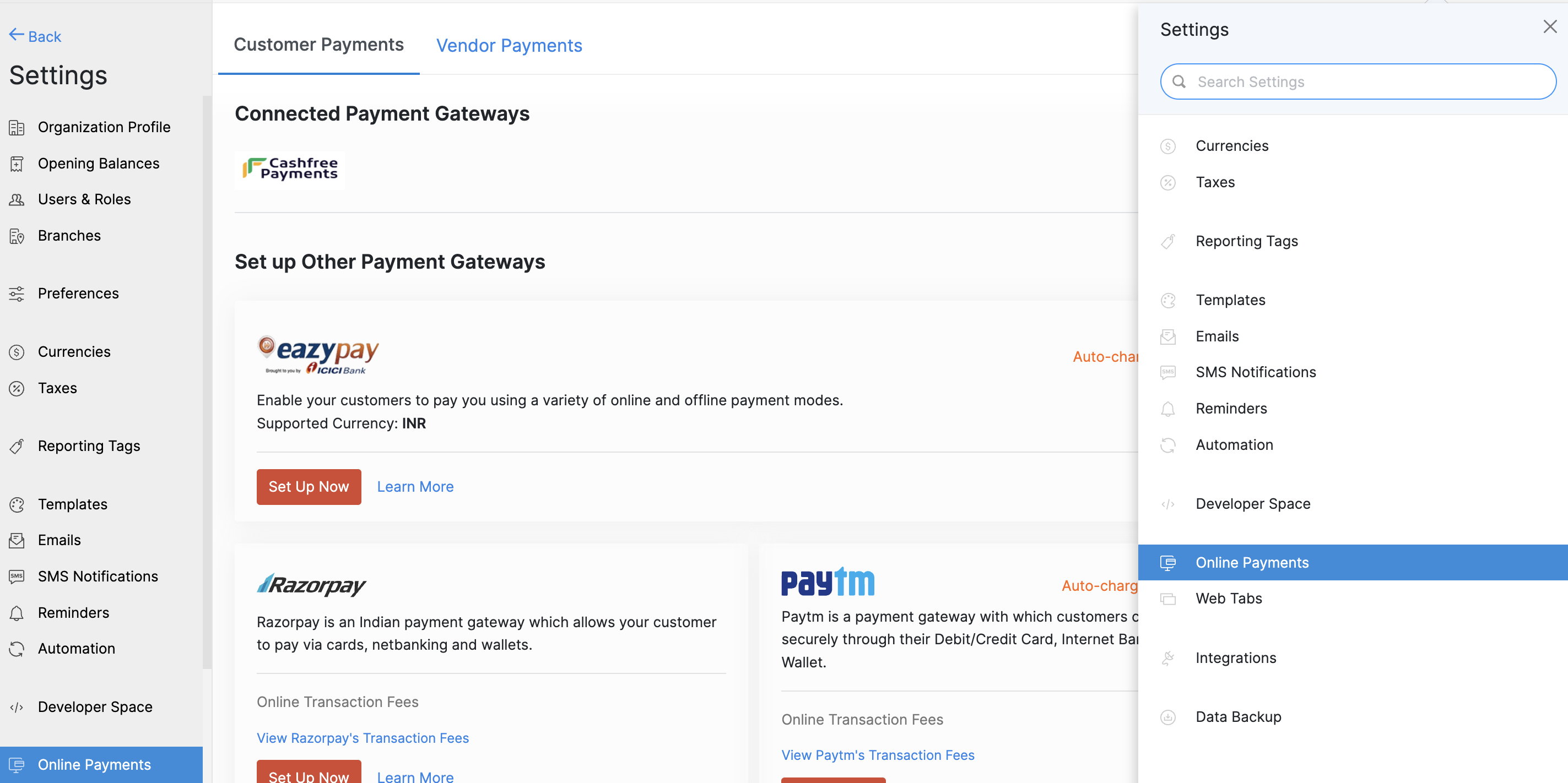 3. In the **Online Payments** screen, Select Cashfree Payments and click **Set Up Now**.
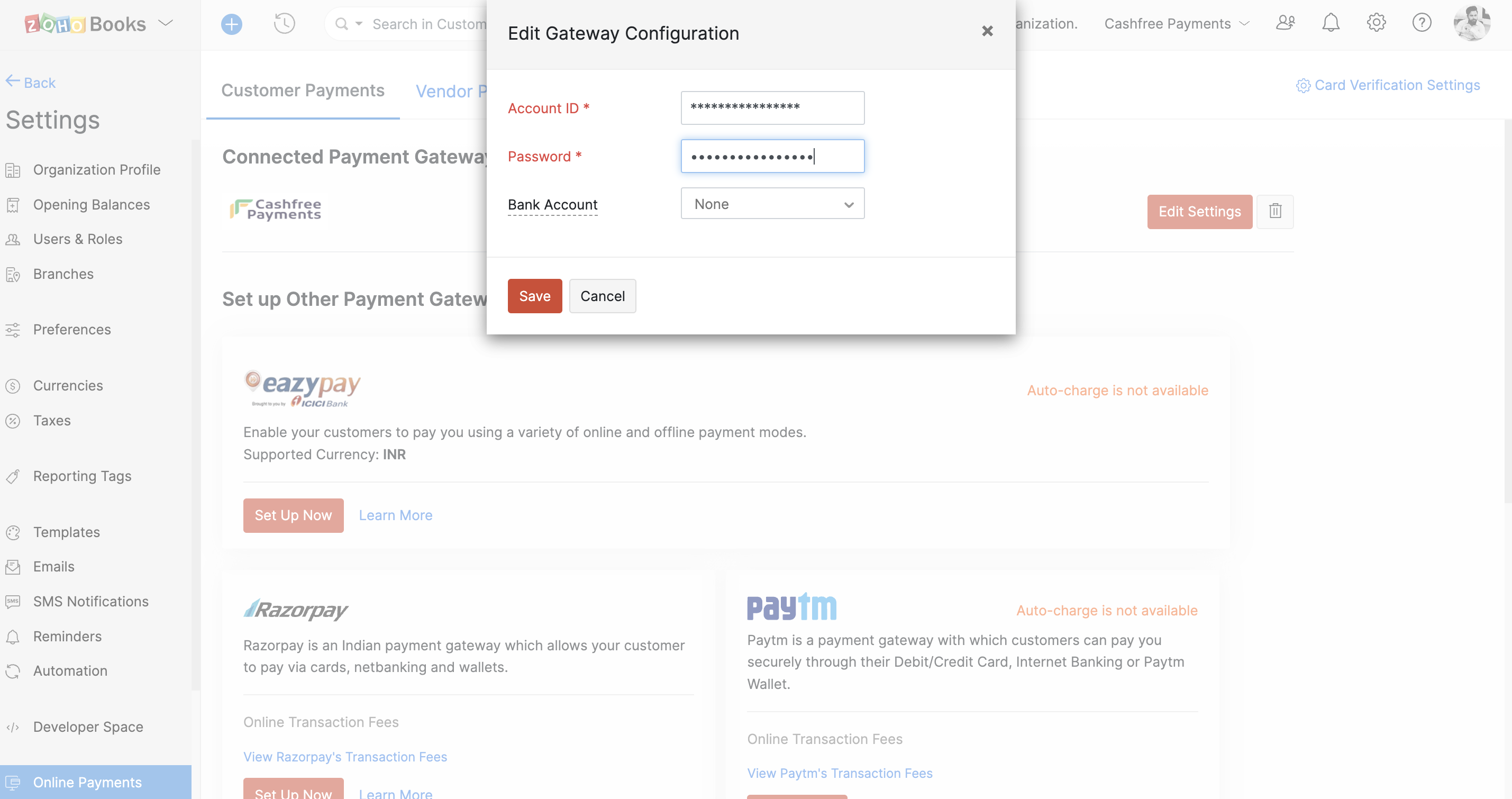
4. Enter the **App ID** and **Secret Key** of your Cashfree Payments Account.
5. Click **Save** to integrate Cashfree Payments with your Zoho Books.
3. In the **Online Payments** screen, Select Cashfree Payments and click **Set Up Now**.
4. Enter the **App ID** and **Secret Key** of your Cashfree Payments Account.
5. Click **Save** to integrate Cashfree Payments with your Zoho Books.
 Your customers can start making payments using Cashfree Payment Gateway.
Read about [whitelisting your store url](/payments/online/go-live/whitelist)
before you can accept payments on your store.
Your customers can start making payments using Cashfree Payment Gateway.
Read about [whitelisting your store url](/payments/online/go-live/whitelist)
before you can accept payments on your store.